Know Who to Work, What Happened, and What Comes Next
AGENTVIEW turns your contact database into a working part of your business—helping you organize leads, stay on top of follow-up, keep conversations in context, and carry the relationship into the transaction.
Turn a Growing Contact List Into a Clear Daily Workflow
AGENTVIEW helps you quickly understand who is in your database, who needs attention, what has already happened, and what you need to do next.
Know Who to Work
Organize new leads, active prospects, buyers, sellers, past clients, and the groups that matter to your business.
Know What Happened
Open the relationship and see notes, activity, communication, follow-up, and the context you need before reaching out.
Know What Comes Next
Use reminders, TouchBase Recommendations, FlowLogic, communication tools, and transactions to keep the relationship moving.
One Contact Record Follows the Relationship as It Grows
The same person can move from a new lead to an active prospect, a client, and eventually a closed transaction. AGENTVIEW keeps that journey connected.
Lead Comes In
The contact enters your database.
You Organize It
The contact lands in the workflow you use.
You Work It
Follow up with the history and context in front of you.
It Becomes Business
The relationship continues into the transaction.
Open AGENTVIEW and Go Straight to the Contacts You Need
New leads arrive. Prospects move forward. Clients go active. Past clients come back into focus. Your database is constantly changing.
Smart Lists and Smart Tabs let you create working views around those real business stages, while FlowLogic helps move contacts based on the rules you define.
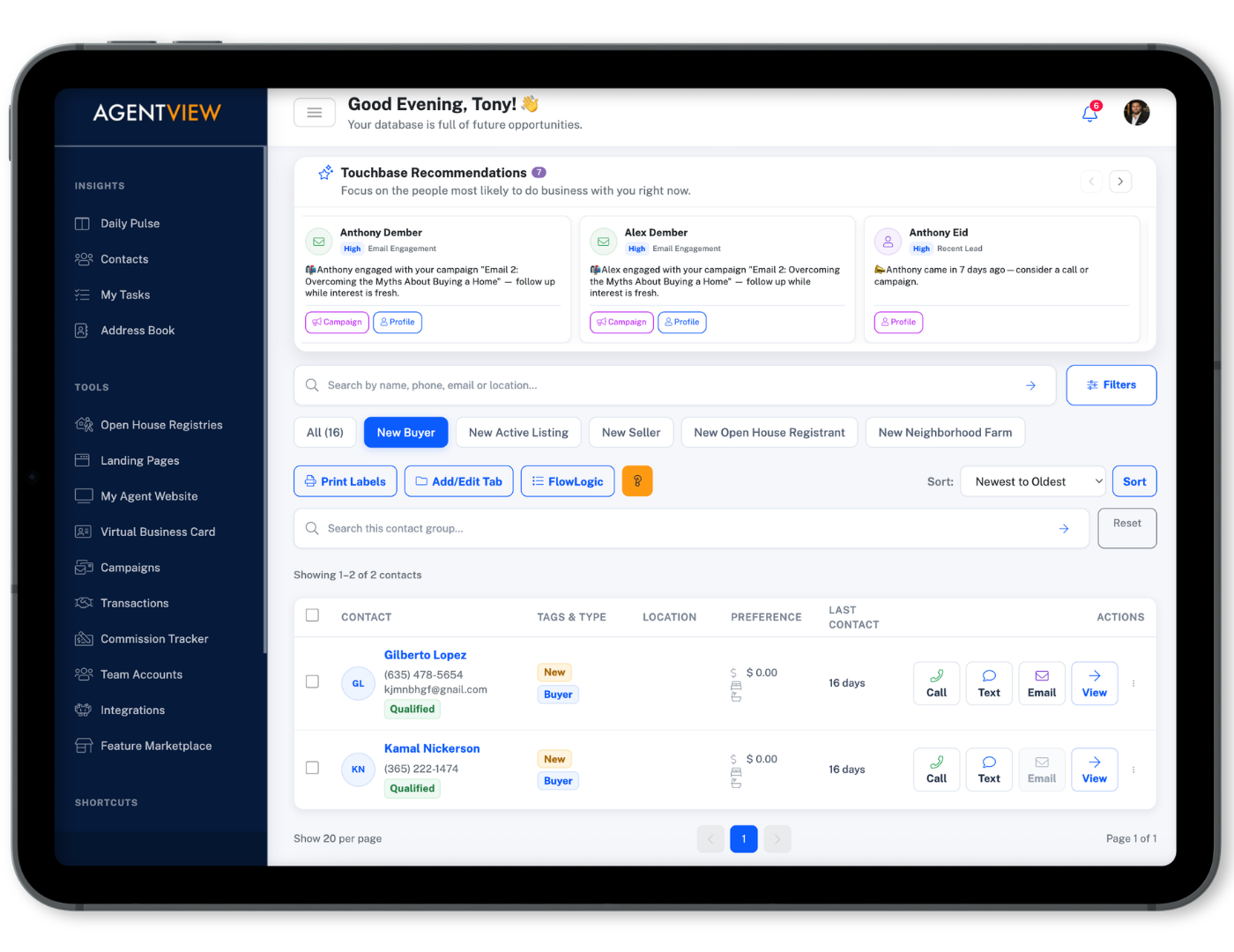
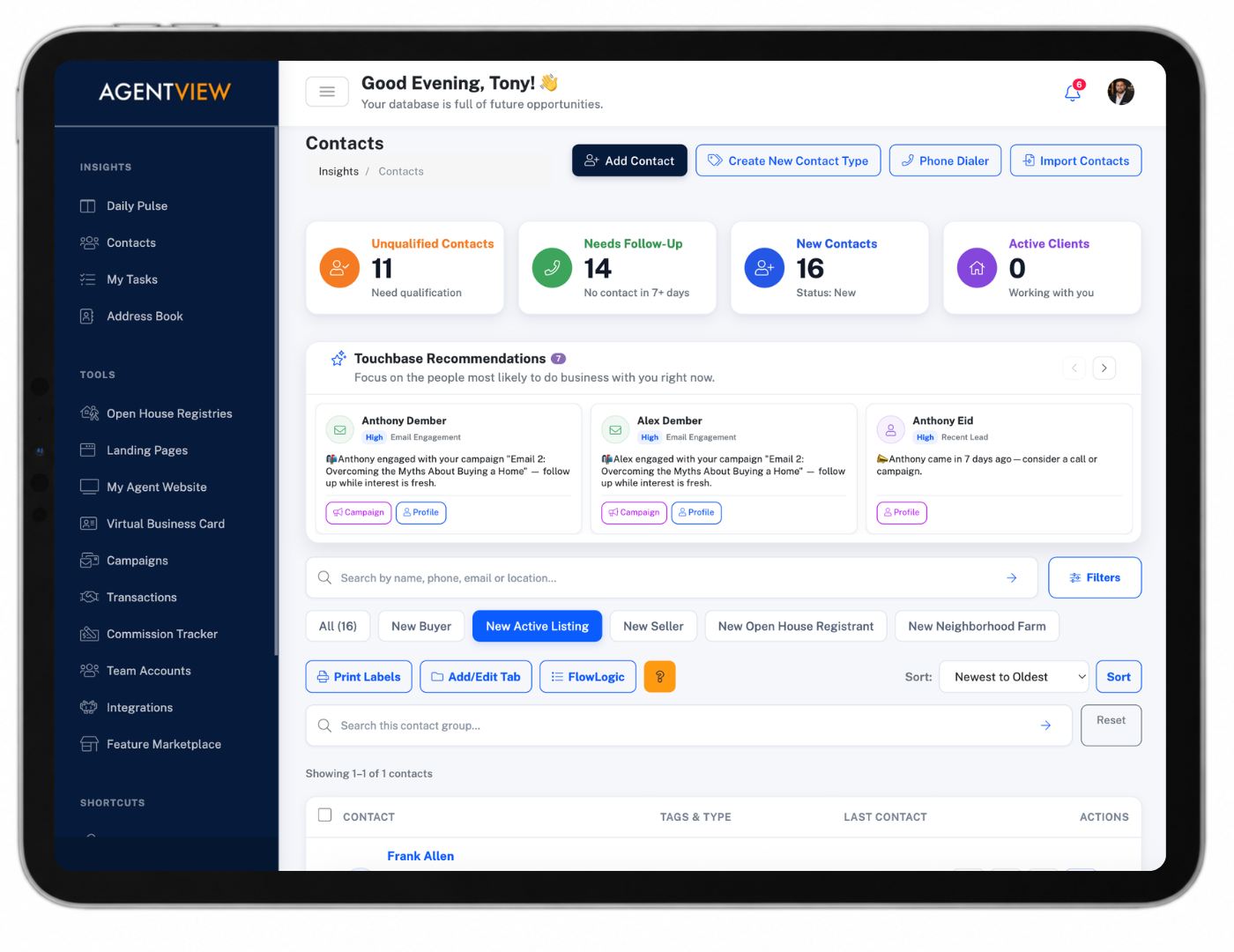
Know Who Needs Attention Before the Opportunity Goes Quiet
Follow-up becomes much easier when you do not have to rely on memory or search through the entire database to figure out where you left off.
TouchBase Recommendations
Surface contacts that may need attention so you have a practical place to start your follow-up.
Contact History
See activity, notes, communication, and important updates before you make the next call or send the next email.
Follow-Up Reminders
Tie the next action directly to the contact instead of keeping it in your head or on a separate note.
Open a Client and See the Story Before You Take the Next Action
The contact profile brings the working pieces of the relationship together so you can understand the client without reconstructing the story every time you come back.
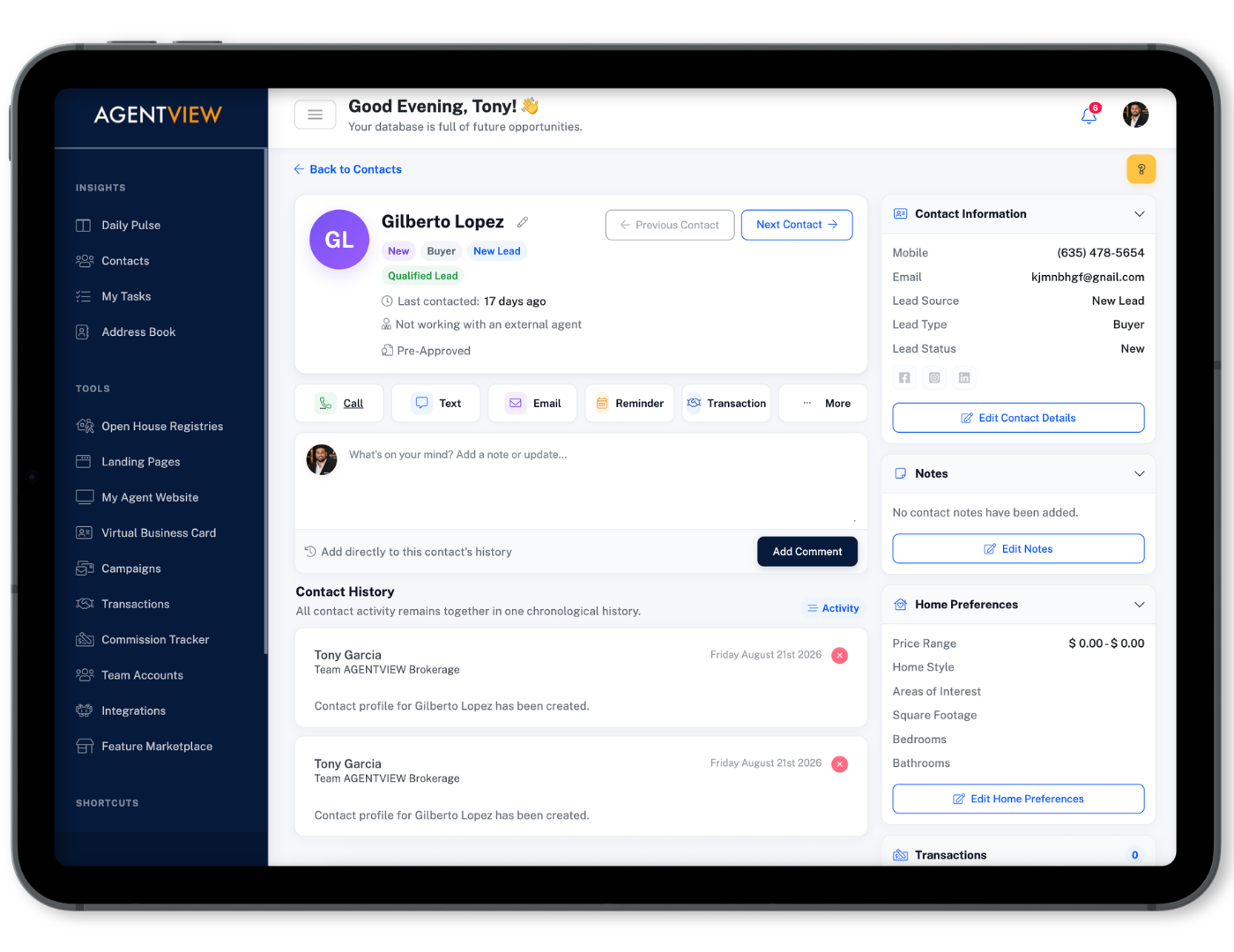
Details & Notes
Keep the information and context surrounding the client together.
Communication
Keep calls, email, and client interactions close to the relationship.
Follow-Up
See reminders and the next actions connected to the contact.
Transactions
Carry the same relationship into buying, selling, or leasing business.
Work the Client Without Turning Contact Management Into Another To-Do List
Once you know who you are working and why, AGENTVIEW gives you practical ways to act on the relationship.
Make the Call
Use the built-in Phone Dialer and keep helpful scripts available while you work the contact.
Send the Email
Reach out from the contact workflow and keep the conversation tied to the relationship.
Create the Transaction
When the opportunity becomes active business, create the transaction from the same client relationship.
Bring In the Contacts You Already Have—and Put Them to Work
Your business does not start from zero. AGENTVIEW helps you bring an existing database into the workflow and gives you useful ways to work those contacts once they are there.
Import Contacts From CSV
Bring over contacts from spreadsheets, Google Contacts, Outlook, or an existing database.
Upload the file, map your columns to AGENTVIEW fields, and start working from one organized database.
Turn a Contact List Into Direct Mail
Filter the contacts you want to reach and generate downloadable labels compatible with popular AVERY® 5160 formats.
Move from a database segment to postcards, flyers, thank-you notes, and other personal mail without rebuilding the list somewhere else.